 BitCloudVPS
Knowledge base: rDNS, tickets, DDoS, SSH, crypto invoices
Admin desk for a no-KYC crypto VPS: PTR, abuse, first login, and how invoices credit. We rent root.
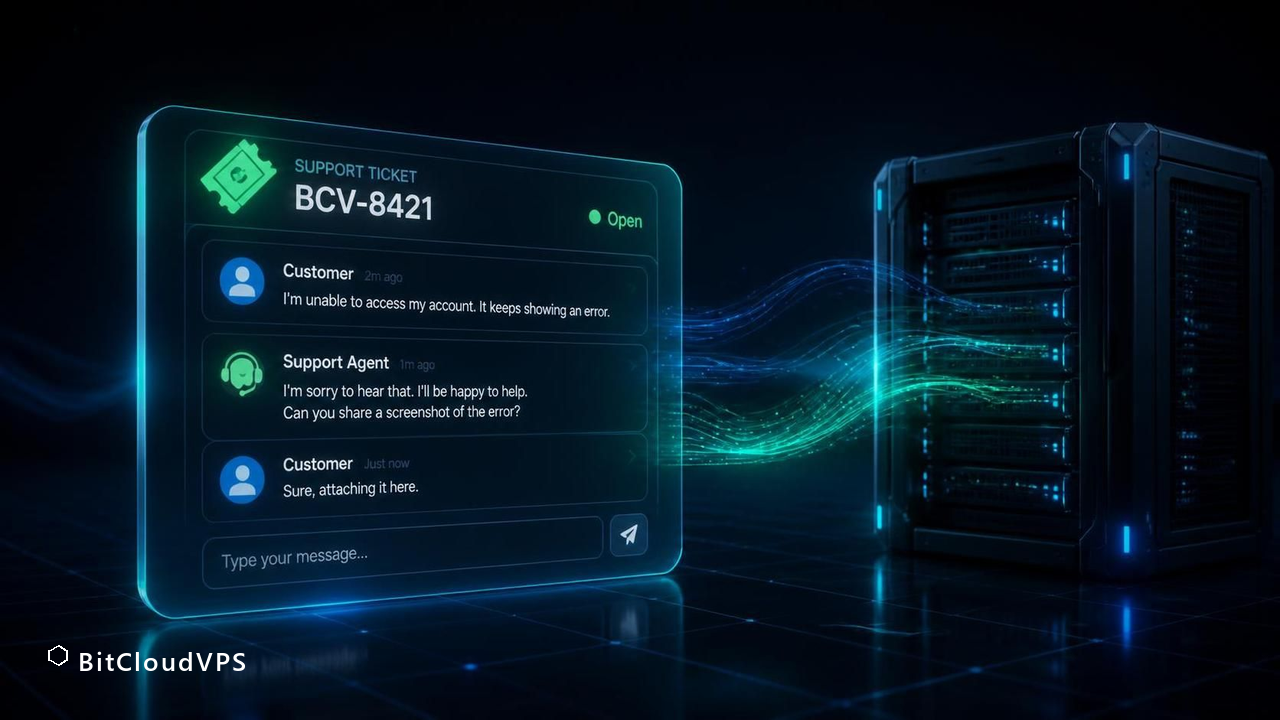
Start with rDNS, abuse/DDoS tickets, SSH keys, and crypto invoices. This is the BitCloudVPS ops desk, not a managed stack.
What this desk covers
Search terms people actually use: VPS knowledge base, rDNS PTR VPS, DDoS protected VPS, how to pay a VPS with crypto, no-KYC support ticket. This is the same territory a European offshore host publishes as “admin tips” — adapted to BitCloudVPS facts. We do not run your WireGuard, mailer or CMS.
Business $24/mo (6 vCPU / 16 GB DDR5) is the production size. Crypto invoice, no KYC.
Launch nowStart here
- FAQ: crypto VPS, KYC, coins, locations
- Set rDNS / PTR
- DDoS filters and abuse tickets
- Open a support ticket
- Crypto invoice flow
- Minimum-data checkout
Security and anonymity (honest)
No-KYC means we do not ask for a passport. It does not erase the email, the invoice, or SSH logs on the guest. Pay from a wallet you control. Put keys in OpenSSH manual, not a password you reused. Self-host WireGuard official site if you want a VPN you operate.
Short answer: what this desk is and how to work through it
Short answer: this knowledge base is the operating manual for servers you rent from BitCloudVPS - every guide assumes a KVM virtual machine with root access, no identity attached to the account, and crypto-only billing, and every procedure is written so you can run it end to end without opening a support ticket. Guides are grouped by goal rather than by product: buying and paying, anonymity and opsec, running specific services (mail, git, bots, nodes), and the mechanics of migrations and upgrades.
Two conventions hold across the whole desk. First, facts about plans, locations and checkout come from the live catalog, so a number you read here - Starter at $8.50/mo, 21 datacenters, 19 checkout assets - is the same number the deploy form shows. Second, every guide states its limits: what a no-KYC host can and cannot shield you from is written out per article, not buried in a terms page. If a procedure starts depending on something we cannot verify, the guide says so where the claim appears.
Paths through the desk, by goal
Ninety percent of readers arrive with one of six goals. Start at the row that matches yours; each path is three to four articles long and ordered so later steps build on earlier ones.
| Goal | Start with | Then read | Finish with |
|---|---|---|---|
| Buy a VPS with no ID at all | Token-only signup walkthrough | Choosing a coin for the invoice | Recovery without an email address |
| Pay in a specific asset | The 19-asset checkout overview | Coin-specific invoice guides (BTC, XMR, USDT per network) | Bonus tiers and billing-term math |
| Host a specific service | The service guide (mail, Gitea, RDP, bots, nodes) | Sizing: which plan line fits | Hardening and backup for that service |
| Maximize anonymity | Threat-model primer | Opsec checklist, leak channels | What no host can make anonymous |
| Pick a location | Jurisdiction guides | Latency and peering per rack | Dual-home patterns |
| Move an existing server in | Pre-migration checklist | rsync staging and database cutover | Rollback planning |
If your goal is not listed, the search phrases on each article's landing page mirror the questions in its FAQ block, which is often the fastest route to a single answer.
The first 60 minutes on any new server: a baseline every guide assumes
Service guides here skip the same setup steps, because they are identical regardless of what you deploy. Run this baseline once per box and every later article will work as written.
- Log in with the credentials the panel shows after deploy and change the root password immediately:
passwd. - Confirm what you are actually running:
cat /etc/os-releaseanduname -a. Guides assume a current Debian or Ubuntu LTS unless stated otherwise. - Update the package base before installing anything:
apt update && apt full-upgrade -y. - Create an unprivileged user and give it sudo; disable password SSH in
/etc/ssh/sshd_config(PasswordAuthentication no) and load your public key first:systemctl restart ssh. - Point the firewall at the ports your service needs and nothing else: with
nftablesorufw, allow SSH plus the service ports, then enable the ruleset at boot. - Check the clock, which TLS and databases care about:
timedatectlshould show NTP synchronized. - Verify your network reality before you depend on it:
curl -4 ifconfig.cofor the IPv4,ping -c4to your main audience region for a first latency read.
Skip step 4 and brute-force noise will fill your logs within an hour on any public IPv4; every hour you delay the firewall is an hour of SSH attempts against the box.
Verifying a host's claims yourself, without trusting any of them
Every claim in our catalog is independently checkable from inside the VM, and we recommend running the checks - on us and on any host you compare. Nothing here needs privileges beyond root on your own box.
- Virtualization:
systemd-detect-virtshould answerkvm. If a "VPS" answersopenvzorlxc, you bought a container with a shared kernel, which changes every isolation claim. - CPU:
lscpu | grep -E 'Model name|MHz'should name the EPYC generation the plan sheet promises (7443P on Starter-class plans). - Disk:
fio --name=test --filename=/root/fio.tmp --size=2g --rw=randrw --bs=4k --time_based --runtime=30gives an honest mixed-read/write number; expect shared-NVMe figures, not marketing peaks, and re-run at peak hours. - Memory:
free -hshows the allocation;dmidecode -t memory | grep -i eccconfirms ECC where the plan sheet claims it. - Network:
iperf3 -cto an iperf server near your rack for throughput, andpingto AMS-IX-facing targets against the latency table in each location guide. - IPv6:
ip -6 addr showshould show your /64 allocation; if it is missing, that is a support ticket before payment of a year.
Run the suite in the first hour of the billing month, not the first hour of the box - oversold hosts degrade under neighbor load, which only shows over time.
Troubleshooting map: symptom, likely cause, first command
Most tickets never needed a ticket. This map covers the five situations that generate the majority of them; each row names the first command to run and what its output tells you.
| Symptom | First command | What it usually means |
|---|---|---|
| Server unreachable on SSH and HTTP | ping <server-ip> from outside, then the panel console | Ping answers: firewall locked you out - check rules from console. Ping silent: network or kernel issue; check the panel status page first |
| Disk full, service refusing writes | df -h / then du -xh / | sort -h | tail -20 | Logs are the usual culprit: truncate or rotate before deleting data |
| Load average high but CPU idle | iostat -x 2 5 | Disk wait: a backup, a database vacuum, or a neighbor on shared NVMe - re-run at a different hour to tell them apart |
| Outbound mail bouncing | tail -50 /var/log/mail.log | Reputation, not port 25: check rDNS and SPF alignment before blaming the rack |
| Invoice not credited after a crypto payment | Re-check the txid on a public explorer for the invoice's network | Underpayment or wrong network for USDT; the invoice page shows the exact expected amount and chain |
Rule of thumb across the desk: gather the command output before contacting anyone. A ticket that opens with iostat output resolves in one reply; one that opens with "it's slow" takes five.
Maintenance rhythm: daily, weekly, quarterly
Servers fail on schedules you did not set, so the desk's standing advice is a rhythm, not a reaction. Daily, in practice, means automation: unattended security upgrades enabled (apt-config dump | grep Unattended), log rotation confirmed (systemctl status logrotate.timer), and a monitoring ping from outside the box - a $3 Nano instance in another location is a fine watcher.
Weekly, read what the automation collected: auth log count (grep -c 'Failed password' /var/log/auth.log - expect hundreds, want zero successes from unknown IPs), disk trend (df -h compared to last week), and backup restore tests. A backup you have never restored is a hypothesis, not a backup; one restore drill per month is enough to keep it honest.
Quarterly, line up the billing decisions with the ops reality: a box that has been stable for 90 days justifies the -20% annual term, and a box you are about to rebuild is the right moment to redeploy on a fresh location with a newer image instead of upgrading in place. The billing terms here - month at list, quarter at -10%, year at -20% - reward exactly that cadence.
BitCloudVPS Starter · any of 21 locations · $8.50/mo
Deploy in 60 secondsA guided tour: where each class of guide lives and when to open it
The direct answer: the desk is organized by what you are doing, not by product name — buying, paying, hardening, running a specific service, and recovering from mistakes each have their own shelf. When you arrive with a task, start from the shelf, not from search, because the guides are cross-linked along the path a real deployment takes.
The shelves, in the order most readers need them. Buying: the anonymous-VPS explainers and the limits-of-anonymity page tell you what no-KYC does and does not buy before you spend anything. Paying: one guide per asset — Bitcoin, Monero, USDT on each network, GRAM, XRP and the rest — covering confirmation counts, underpayment handling and wallet hygiene. Locations: a page per rack with peering and latency facts (AMS-IX, DE-CIX, SGIX, HKIX and the others, 21 sites from Reykjavik to Almaty). Running: workload guides — mail, git forges, seedboxes, Bitcoin and Monero nodes, Telegram bots, RDP boxes — each with sizing, commands and the failure modes that workload actually produces. Hardening: SSH keys, firewalls, clean-IP practice and honest opsec limits. And the comparisons: jurisdiction matrices and head-to-head pages when you are choosing rather than doing.
How to work through a guide without drowning: every page leads with a direct answer, keeps commands in copy-paste form, and ends with a verification step, because a guide you cannot verify is marketing. If a page assumes knowledge you do not have, the first-60-minutes baseline (below on this desk) is the intended prerequisite — it is deliberately written for a freshly deployed box with nothing on it yet.
From guide to running server: a worked walk-through
The direct answer: the fastest honest path from an empty account to a working service is five steps, and every workload guide on this desk assumes exactly this skeleton. Here it is, end to end, so the specialized pages can stay focused on their own deltas.
- Create the account — token only, email optional — and store the token offline. It is the single recovery key; there is no password reset email to fall back on.
- Fund and deploy: pay in any of the 19 assets (USDT-TRC20 for stable, small invoices; XMR when the payment graph matters; BTC when that is what the wallet holds), pick plan and location, and the box provisions in about a minute. For a first server, Nano at $5.49/mo or its flat $36/yr is enough to learn on; Starter at $8.50 with 2 vCPU and 4 GB ECC is the practical floor for anything with a database.
- Baseline the box: key-only SSH, disable password auth, unattended upgrades, a firewall default-deny with your service ports opened, time sync. Every workload guide repeats this in its first section for a reason — it is the difference between a server and a liability.
- Deploy the workload following its guide, and run the verification commands it lists instead of trusting that the service 'looks up'.
- Schedule the boring parts: backups to a second box or the Storage line (1-5 TB from $24/mo), renewal watch on the billing term you chose (quarter −10%, year −20%), and a quarterly re-read of the hardening shelf.
Where people diverge from the path, two places predictably hurt: skipping the backup step until the first disk scare, and choosing the annual term on day one for a setup still changing shape. The guides are written to make both mistakes unnecessary rather than merely survivable.
BitCloudVPS Starter · 2 vCPU · 4 GB ECC · $8.50/mo
Deploy in 60 secondsBuilding your own runbook from these guides
The direct answer: the desk is designed to be copied into your own runbook — a short, private document of the exact commands and decisions your deployment needs — because the guides that save you at 3 a.m. are the ones in your own words. Treat each page as source material, not as something to keep open in a tab forever.
A runbook that works has four sections, and the desk maps to all of them. Provision: plan tier, location, billing term, the payment asset you settled on, and the exact deploy parameters — one block, so rebuilding after a mistake is a chore, not a project. Baseline: your hardening commands, key fingerprints, firewall rules, exactly as you run them — copied from the security guides and then customized, not quoted. Operate: the workload guide's maintenance commands, log locations, and the verification steps you actually ran the first time. Recover: backup restore procedure tested at least once, the account token's storage location (written as a hint, never the value), and support contact plus your txid convention so any payment question is answerable in one message.
Two practices make the runbook trustworthy. Version it with the server: when you change a firewall rule, change the runbook in the same sitting, or it drifts into fiction. And rehearse the recover section on a throwaway Nano — $36/yr buys a lab where a failed restore costs nothing, which is the only kind of test that proves the backups were real. An untested backup is a hope, not a procedure.
If you are running more than two or three boxes, add a fifth section: the map — which server does what, which account holds it, and which mirror takes over if it dies. The desk's location pages give you the latency and peering numbers to place each role; the runbook is where those decisions become durable.
How the desk stays current, and what to do when a guide looks stale
The direct answer: the desk tracks the catalog — plans, prices, locations and the asset list are checked against the live data, and pages carry an October 2026 check date where numbers appear. Guides are written against the current plan sheet (Nano $5.49/mo with the flat $36/yr, Starter $8.50, Business $30, Storage $24-$56, dedicated from $79.50) and against the 19-asset checkout, so if a guide and the checkout page ever disagree, the checkout page wins and the guide gets corrected.
What that means for you as a reader: any number you rely on for a purchase decision should be confirmed on the order form at deploy time, because prices and terms are the one thing a static page can guarantee only as of its check date. Commands, on the other hand, age slowly — SSH configuration, firewall syntax, rsync flags and service unit files in these guides are stable across current distributions — so the practical staleness risk is concentrated in prices, plan names and location facts.
When something looks wrong, the useful report is specific: which page, which command or number, what you observed instead. 'The rsync flag in the migration guide did not exclude socket files on my distro' is fixable in minutes; 'the guide is broken' is not. Reports go through the same no-KYC support channel as everything else — optional email, account token if the account matters, plain description if it does not.
A closing note on intent: this desk exists because crypto-paid, no-KYC hosting attracts people doing things for the first time without a colleague to ask, and the expensive mistakes — lost tokens, untested restores, payment chains that undo anonymity — are all avoidable with an hour of reading. The guides will not manage the OS for you; that line stays fixed. What they do is make sure the first time you hit a problem is not the first time you have thought about it.
Where the limits are (October 2026)
Keep the threat model precise. Anonymous-adjacent hosting removes the host-side identity trail: token-only signup, optional email, no KYC review, crypto invoices that record a txid rather than a name. It does not blind the host to traffic it must carry, it does not make a logged-in panel session anonymous, and it does not protect workloads that identify themselves — an admin login from your home IP defeats the whole design. Exact limits of no-KYC anonymity. OPSEC guide. Full checklist. Payment-side note: chain analysis happens on public blockchains, not at the host. Coin choice and network choice are your OPSEC knobs, and the checkout keeps 19 of them open.
Do you manage the OS?
No. You get root. These pages are checklists, not a managed SLA.
Is this copied from another host?
Topics overlap every offshore desk. The facts are ours: twenty-one locations, crypto only, SKN company.
Which guide should I read before my first crypto-paid VPS?
<p>The 19-asset checkout overview, then the guide for the coin you plan to send. The only errors that cost money are network mistakes on USDT sends and volatility timing on volatile coins, and both coin guides cover them explicitly.</p>
Do the guides assume Linux, and which distribution?
<p>Yes - current Debian or Ubuntu LTS with root SSH, unless an article says otherwise. Windows-specific material lives in the RDP and Windows guides, and those state their licensing assumptions separately.</p>
Is there a guide for recovering a lost account token?
<p>There is a guide for avoiding the situation: store the token offline and attach an anonymous email for renewal notices before you need recovery. There is no ID-based recovery on a no-KYC account, so prevention is the whole game.</p>
Can I follow the opsec guides partially?
<p>Yes, and the threat-model article explains which layers can lag: payment privacy and signup hygiene are cheap to get right on day one, while traffic-layer habits can be adopted later without redoing anything. The checklist marks which items are hard to retrofit.</p>
Are the commands in the guides tested on the same plans you sell?
Yes — the workload and security guides are written against this catalog's plans (Nano through Max, the Storage line, and the dedicated tiers), with sizing notes that say where each plan stops being enough. Where a command can vary by distribution, the guide says so rather than pretending one line fits every box.
Do the guides cover setups with more than one server?
The migration, mirror and backup guides are explicitly multi-box: staged rsync cutovers between two servers, standing mirrors across locations, and backups pointed at a second account or the Storage line. Start with the migration pattern page if you already run one box and are about to run two.
What hardware do the guides assume?
The tutorials are written against our standard profile: every plan runs on NVMe storage with ECC RAM and an unmetered 1-10 Gbps port. The Starter tier — 2 vCPU EPYC 7443P, 4 GB ECC, 60 GB NVMe at $8.50/mo — is the reference box most walkthroughs were tested on.
What does the host actually know about me?
Whatever you hand over: a signup token, an optional email address, the invoice you paid and the service traffic. No ID documents, no phone number, no KYC step exists to hand anything else over.
What won't an anonymous VPS protect against?
Self-inflicted links: personal logins from a home IP, leaked cookies, services that publish your address, and on-chain patterns that tie wallets together. The server removes one identifier; it does not fix operational mistakes.
Primary sources
Ready to launch?
Configure a VPS or dedicated server, set a password, then pay the invoice.
Network
Edge RTT
Uptime · 36h
Complaints · 36h