 BitCloudVPS
Paying for a VPS or dedicated server in cryptocurrency
Email, password, live-rate invoice. Bitcoin, USDT and more. No cards, no processor KYC.
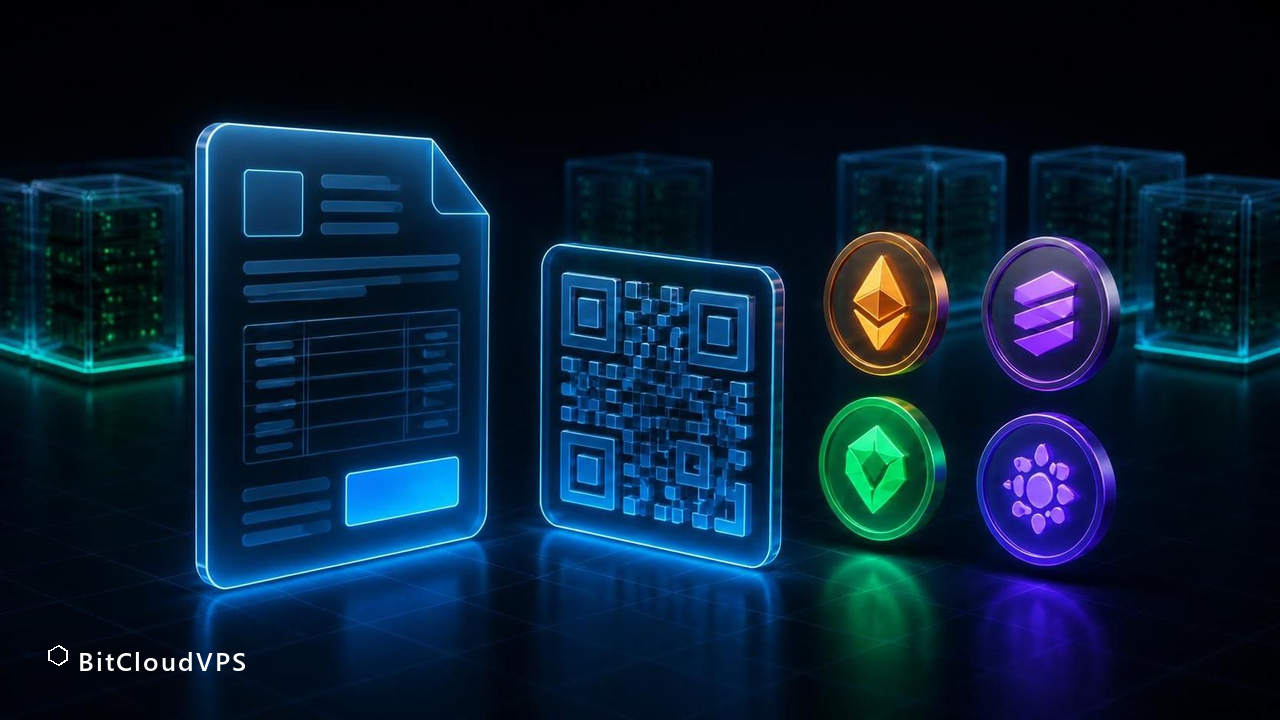
Create one server invoice, choose a supported network, and send its exact amount once. Public-chain watchers match amount and transaction ID.
What you do
On the deploy page you pick VPS or dedicated, a plan, a billing term, a datacenter and an OS. Then you enter an email and a password of at least 12 characters. Payment is the next page, not a modal: choose a coin, create an invoice, and send the exact amount to its address in one transfer. The watcher credits supported public chains after an exact match. The email is an account identifier, not an identity check.
Business $24/mo (6 vCPU / 16 GB DDR5) is the production size. Crypto invoice, no KYC.
Launch nowWhy no cards
Card and SEPA rails put a licensed processor in the middle. That processor will KYC you even if the host does not. Paying for a VPS with Bitcoin or USDT is the product, not a missing feature. USDT on TRC-20 is the boring path when you want a $10.80 box to stay $10.80. ERC-20 USDT is the same unit on Ethereum gas. We never mix networks on one invoice.
Locked rate, live ticker
The server calculates USD due from the plan and term, then converts it with a same-origin CoinGecko rate cache. If the upstream ticker is temporarily unreachable, the server uses its configured conservative fallback. The browser refreshes the display every 60 seconds, but the exact amount stored on the created invoice is authoritative.
Confirmations
Confirmation time depends on the selected network and current chain conditions. Supported public-chain watchers require the exact invoice amount and reject a transaction ID that has already credited another invoice. If you underpay or use the wrong network, stop and open a ticket with the transaction ID; do not send a second transfer or recycle an address.
What we do not do
No Lightning requirement. No card fallback. No phone. No passport. No invoice in EUR. If your exchange KYC'd you to buy the coins, that is upstream of this checkout. Paying a dedicated server with crypto does not make the rack anonymous; it only removes the card processor from our side.
Short answer: the seven steps from invoice to SSH
The whole flow is: pick a plan and location, create an account (token-only works, email optional), receive an invoice with a locked rate, send the exact amount on the network you chose, wait for confirmations, watch the panel provision the server, log in with the credentials the panel shows. Nothing in the chain involves a card, a bank, or an identity document - the checkout is crypto-only across 19 assets, and no-KYC applies at every plan from Nano to Max and on dedicated metal too.
- Choose plan and location - prices are identical at all 21 sites, so this is a latency and jurisdiction call, not a price one.
- Sign up: email plus password or a token only; there is no phone field and no document upload anywhere in the flow.
- Generate the invoice: it quotes a USD amount and a live-ticker crypto equivalent with the rate locked for a window (details in the locked-rate section).
- Send exactly that amount on exactly that network - underpayment and wrong-network sends are the two failure modes that account for nearly all support tickets, and both are covered in troubleshooting below.
- Wait for confirmations: TRC-20 credits in seconds to a couple of minutes, BTC needs its confirmation count, XMR typically a few minutes.
- Watch provisioning: the panel builds the VM once the payment settles; Nano to Max provision on the same pipeline.
- SSH in with the issued root credentials, then replace the password and harden the box.
End to end on a fast rail, first login often lands within minutes of clicking pay; the variance is almost entirely confirmation time on your chosen chain, not our provisioning.
Prerequisites: what to have ready before you click Pay
The flow is unforgiving in exactly two places - the network you pick and the amount you send - so prepare both before generating the invoice. First, a wallet you control: a self-custody wallet for your chosen asset, funded with slightly more than the invoice to cover network fees. An exchange withdrawal works too, but it ties the payment to whatever identity the exchange holds and passes a KYC'd UTXO or account to the chain, which matters if payment privacy is part of why you are here. Second, the network decision for USDT: seven are supported (TRC-20, ERC-20, BEP-20, Polygon, Arbitrum, Optimism, SPL), and the sending and receiving networks must match - a USDT-TRC20 send to a USDT-ERC20 address is the classic unrecoverable mistake.
Third, a fee margin: send the invoice amount in full, on top of whatever your wallet charges. Fourth, a place to store the invoice reference: the invoice ID plus the transaction hash are the two artifacts that resolve any dispute, and with an optional-email account there may be no inbox to find them in later. Fifth, if you plan to run multiple servers or prepay annually, decide up front whether to fund the account balance instead of paying per invoice - bonus tiers at $1,000 (+10%) and $2,000 (+40%) change the math on larger top-ups, and the renewals section below works the numbers.
Choosing the asset: 19 coins, seven USDT networks, and which for which job
All 19 assets price the same invoice identically in USD terms, so the choice is about fee, speed and privacy, not price. The table compresses the decision.
| Asset | Strength for this flow | Trade-off |
|---|---|---|
| USDT-TRC20 | Low fee, fast credit, stable price - the default for most invoices | Public ledger, issuer-freeze semantics |
| XMR | On-chain privacy; breaks the link between payment and invoice in the public record | Slightly longer credit time than TRC-20 |
| BTC | Universal liquidity, easy sourcing | Fee volatility and confirmation wait; public UTXO graph |
| LTC, DOGE, DASH | Cheap, quick, familiar | Public ledgers like BTC |
| ETH, BNB, SOL, ADA, TRX, XRP, GRAM (TON) | Fast rails if that is what you already hold | Public accounts; XRP may need a destination tag |
| USDT on ERC-20/BEP-20/Polygon/Arbitrum/Optimism/SPL | Stable price on the network you already use | ERC-20 fees can exceed the invoice on small plans; network must match exactly |
The practical pairing most operators land on: USDT-TRC20 when the priority is cheap and boring, XMR when the priority is that the payment graph not point at the invoice, BTC when that is what the wallet already holds and the invoice is large enough that fees are rounding error. Mixing assets across invoices is fine - each invoice is independent - though a single invoice must be paid in one asset, not split.
Confirmations: what each chain requires and what that means in minutes
Credit time is the only genuinely variable part of the flow, and it is chain physics, not our queue. Stablecoin rails credit fastest: USDT on TRC-20, BEP-20, Polygon, Arbitrum, Optimism and SPL lands in seconds to a couple of minutes because the underlying chains finalize quickly. XMR credits on its block confirmations, typically a few minutes end to end. BTC takes longest: the invoice waits for a confirmation depth rather than a broadcast, so a quiet mempool means minutes and a congested one can stretch the wait - which is why the fee-margin prerequisite matters more on BTC than anywhere else.
Two practical notes. First, do not confuse our credit time with exchange withdrawal processing: if you pay from an exchange, its own withdrawal queue adds time before the transaction even exists on-chain, and support cannot see that part. Second, confirmation count is set per chain to make reversal impractical, so there is no way to pay extra to skip it - the fast path is choosing a fast rail, not leaning on support. If you need a server online at a known moment (a launch, a migration window), the deterministic play is paying a stablecoin rail and generating the invoice ten minutes early; the deterministic-wrong play is generating a BTC invoice at mempool peak and hoping.
How to verify it worked: invoice state, panel state, first login
Verification has three stages, and each has a concrete artifact. Stage one, the transaction: after sending, your wallet shows the txid - keep it. A block explorer for your chain shows the transfer to the invoice address with the exact amount; if the explorer shows the transfer and the invoice has not credited after the chain's confirmation window, the txid plus the invoice ID is what a support ticket needs, and nothing else. Stage two, the invoice: the panel flips the invoice to paid on credit, and the locked-rate quote is replaced by a settled amount. If you funded the account balance rather than the invoice, the balance line updates instead and the bonus tier lands with it.
Stage three, the server: provisioning starts automatically, and the panel shows the assigned IPv4, the /64 IPv6 block, and root credentials when the build finishes. Verify the network from inside: ip -br addr should show the v4 address and an address in the v6 /64, and ping -6 to a public v6 endpoint confirms the v6 path works, not just that it was assigned. Total honest expectation: from confirmed transaction to SSH prompt is minutes on fast rails, longer only on congested BTC. If any stage stalls past that, the failure is in the two known-trouble spots - amount or network - and troubleshooting below covers both in order.
Troubleshooting: underpayment, wrong network, stuck transactions
Symptom: invoice not credited though the explorer shows the transfer. Cause one: you sent less than the invoice amount after fees - wallets that subtract the network fee from the sent amount deliver a short payment, and a short payment does not auto-credit. Fix: open a ticket with the invoice ID and txid; the shortfall is either credited against the invoice or returned per the refund policy stated on it. Cause two: wrong network - USDT sent on TRC-20 to an ERC-20 address does not arrive on the invoiced rail, and no confirmation count will fix it. Fix: ticket immediately with txid; recovery depends on the rail and is exactly why the prerequisites section says to check the network string twice before signing.
Symptom: BTC payment broadcast but uncredited for a long time. Cause: fee too low for current mempool conditions, so confirmations are slow, not missing. Fix: wait, or use an RBF-capable wallet to bump the fee; do not double-send the full amount, which creates a second reconciliation problem. Symptom: payment credited but provisioning seems stuck. Check the panel's server state first - builds progress through visible states, and the fix for a genuinely stuck build is a ticket with the invoice ID, not a re-order (a second order is a second invoice). Symptom: credited amount differs from what you sent. Cause: the locked-rate window expired before your transaction confirmed, so the settled crypto amount bought a slightly different USD figure; the invoice history shows both numbers. This is why the rate-lock window is stated on the invoice and why fast rails reduce the exposure.
Renewals and balance: funding ahead, bonus tiers, billing periods
Every renewal repeats the invoice flow, which is exactly why the second server or the second month is when funding the account balance starts to make sense. Per-invoice payment keeps each transaction small and self-contained; balance funding converts N future renewals into one transaction, one fee, and one confirmation wait. On top of that, the balance tiers pay you for consolidating: $1,000 loaded gains 10%, $2,000 gains 40% - on a $2,000 top-up that is $800 of credit, which covers a Business plan ($30/mo list, $24/mo on the annual -20%) for more than two years across any of the 21 locations.
Billing period is the other lever, and it multiplies with the balance decision: month bills at list, quarter takes -10%, year takes -20%, and Nano carries a flat $36/yr annual price ($3/mo effective). Prepaying a year from a funded balance means a single on-chain event covers twelve months - fewer txids to keep, fewer rate-lock windows to hit, fewer confirmations to wait for. The trade-off is concentration: a balance is prepaid value tied to one account, so the token you hold is the only key to it - back it up with the same discipline as the wallet that funded it. For a single Nano or Starter server, none of this is necessary; for a fleet or an annual commitment, it is usually the cheaper and quieter path.
BitCloudVPS Business · any of 21 locations · $24/mo on the annual term, paid in crypto
Deploy in 60 secondsFee and speed: picking the rail by invoice size
The direct answer: match the asset to the invoice, not to habit. On a $3-$9 monthly Nano or Starter invoice, USDT on TRC-20 and LTC usually clear fastest and cheapest, because both move small amounts with minimal network fee and confirm in minutes. On a $360 annual Nano prepay - the flat $36/yr rate - or a funded balance topped up to the $1,000 (+10%) bonus tier, fee size stops mattering and confirmation depth becomes the question: BTC, ETH and XMR all work, but each costs a different network fee and waits a different number of confirmations.
Run the math in three lines before you send. Line one: network fee as a percentage of the invoice - a $2 fee on a $6 invoice is a 33% tax, the same $2 on a $300 invoice is noise. Line two: volatility exposure between invoice issue and confirmation - stablecoins (USDT on any of the seven supported networks: TRC-20, ERC-20, BEP-20, Polygon, Arbitrum, Optimism, SPL) price the server in dollars; BTC and ETH do not, so send promptly and keep a small buffer. Line three: privacy weight - XMR breaks the on-chain link between payment and purchase, while everything else leaves a public trace a motivated party can follow.
For renewals the same table applies with one twist: recurring monthly invoices punish per-payment fees the most, which is exactly what the balance system exists for. Fund once with a larger amount, collect the bonus tier if you cross $1,000 or $2,000, and let renewals draw down from the balance with zero per-invoice network cost. One payment rail decision per year instead of twelve.
BitCloudVPS Business · Zurich · $24/mo on the annual term
Deploy in 60 secondsThe wallet-side checklist: buffers, mempool, and timing the payment
Most failed crypto invoices fail on the wallet side, before the host is involved. The direct answer: send with a fee buffer, watch the transaction until it confirms, and never treat an invoice address as a long-term deposit address. Three habits cover nearly every case.
First, buffer and amount. Crypto invoices are quoted in USD and converted to coin at a locked rate for a limited window; if you send the exact coin amount and the rate window is near its edge, a slightly stale wallet quote can leave you a few cents short, which some ledgers cannot express - an underpaid invoice may not auto-settle. Add a visible margin above the requested amount (5% covers most fee spikes), and if your wallet lets you set the fee manually, pick a level that confirms within minutes rather than saving cents over an hour.
Second, network discipline. USDT exists on seven networks at this checkout, and the invoice names exactly one. A USDT-TRC-20 transfer sent to an ERC-20 invoice address does not take a detour - depending on the exchange and the token contract it can be unrecoverable. Copy the address from the invoice itself, confirm the first and last four characters after pasting, and if the invoice shows a memo or destination field for assets like XRP, fill it; transfers without it may sit uncredited until support reconciles them manually.
Third, timing around the confirmation count. Each chain has its own credit threshold, and the server builds only after the payment clears it - so the practical delay is network confirmation time, not provisioning. Paying a month of Nano before a work session is fine; paying an annual invoice minutes before a launch is not. Plan the payment a few hours ahead of when you actually need SSH.
BitCloudVPS Starter · Amsterdam · from $8.50/mo
Deploy in 60 secondsThe price sheet, October 2026 catalog check
Verified against the current catalog, not a cached snapshot. Nano $5.49 (1 vCPU / 2 GB ECC / 40 GB NVMe; flat $36/yr = $3/mo effective), Starter $8.50 (2 vCPU / 4 GB DDR4 ECC / 60 GB NVMe), Plus $13.50 (4 vCPU / 8 GB DDR4 ECC / 120 GB NVMe), Business $30 (6 vCPU / 16 GB DDR5 ECC / 240 GB NVMe), Pro $45 (8 vCPU / 24 GB DDR5 ECC / 400 GB NVMe), Max $60 (12 vCPU / 32 GB DDR5 ECC / 640 GB NVMe); storage plans run $30-$70/mo for 1-5 TB NVMe (8 vCPU / 32 GB at the top tier); dedicated boxes from Start $79.50 (Intel Xeon E-2388G, 32 GB DDR4 ECC) to Ultra $449.50 (2 x AMD EPYC 9474F / 3.6-4.1 GHz, 512 GB DDR5 ECC-R), all with IPMI and DDoS scrubbing. Terms move the price, not the hardware: month at list, quarter at -10%, year at -20%. Checkout takes 19 checkout assets — BTC, XMR, ETH, SOL, LTC, TRX, XRP, DOGE, DASH, ADA, GRAM (TON) and USDT on 7 networks — no KYC step, email optional, token-only signup available. How the crypto invoice works. Paying with Bitcoin. One honest limit: list prices are what the catalog shows at publish; the invoice always prices your coin at the live market rate at the moment you generate it.
Do I need an account first?
You need an email and a password so the invoice is tied to a panel. There is no confirmation mail and no KYC.
What if I underpay?
Do not send a second transfer. Open a ticket with the transaction ID so operations can review it.
Can I pay half BTC and half USDT?
No. One coin per invoice.
Do annual plans take crypto too?
Yes. The discount is on the USD total; you still pay that total in the coin you pick.
What happens if I send USDT on the wrong network?
The transfer follows the sending network, not the invoiced one, so it does not auto-credit. Open a ticket immediately with the txid and invoice ID. Recovery depends on the rail involved and is not guaranteed - which is why matching the network string before signing is the one check this flow will not forgive you for skipping.
Do I get a refund if I overpay an invoice?
Overpayments are handled per the refund policy stated on the invoice itself, in the asset you paid with. Keep the txid - it is the proof of what arrived. The reliable way to avoid the situation is sending the invoice amount exactly, with network fees on top rather than subtracted by the wallet.
Can I pay from an exchange withdrawal?
Yes, all 19 assets can arrive from exchange withdrawals, and many invoices do. The trade-offs are the exchange's withdrawal queue adding time before the transaction exists on-chain, and the payment being linked to the identity the exchange holds - self-custody wallets avoid both.
How long is the invoice rate locked?
The invoice quotes a locked rate for a stated window shown on the invoice itself; confirmations landing inside the window settle at the quoted figure. Fast rails like USDT-TRC20 almost always settle inside it; slow BTC confirmations during mempool congestion are the case where the window matters.
Can I reuse one payment address for several invoices?
Each invoice is generated with its own address and amount so the ledger can match a payment to an order automatically. Always pay the address shown on the current invoice; a transfer to an older invoice's address can reconcile slowly or not at all, and you would be asking support to trace it manually. For recurring renewals, the cleaner pattern is to fund the account balance once and let each renewal settle from the balance without a new on-chain payment.
What happens to my server if a renewal payment is late?
Nothing is deleted at the minute the term expires - there is a grace window during which the server stops being reachable but the disk is preserved. Settle the outstanding invoice within that window, either with a fresh crypto payment or from a funded balance, and the same machine comes back with its data intact. If the grace period passes without payment, the server is eventually removed and recovery is not guaranteed, which is the strongest argument for pre-funding a balance rather than paying invoice by invoice.
Which cryptocurrencies can I pay with?
The checkout accepts 19 assets: BTC, XMR, ETH, BNB, SOL, LTC, TRX, XRP, DOGE, DASH, ADA, GRAM (TON), plus USDT on seven networks — TRC-20, ERC-20, BEP-20, Polygon, Arbitrum, Optimism and SPL. Checkout is no-KYC, so no identity documents are needed to complete a payment.
What does the cheapest plan cost right now?
Nano lists at $5.49/mo with a flat $36/yr annual price. The quarter term takes -10% and the year -20% off list on every plan. Hardware is identical whichever of the 19 assets settles the invoice.
How fast is a VPS after I pay?
About a minute after the payment watcher marks the invoice paid. Dedicated servers are 2-4 hours because of racking and IPMI. Provisioning never waits on a KYC review because there is no KYC review.
Primary sources
Ready to launch?
Configure a VPS or dedicated server, set a password, then pay the invoice.
Network
Edge RTT
Uptime · 36h
Complaints · 36h