 BitCloudVPS
How to open a support ticket (panel)
Panel → Support. Subject and body. Tickets need a positive account balance. Include invoice code or IP.
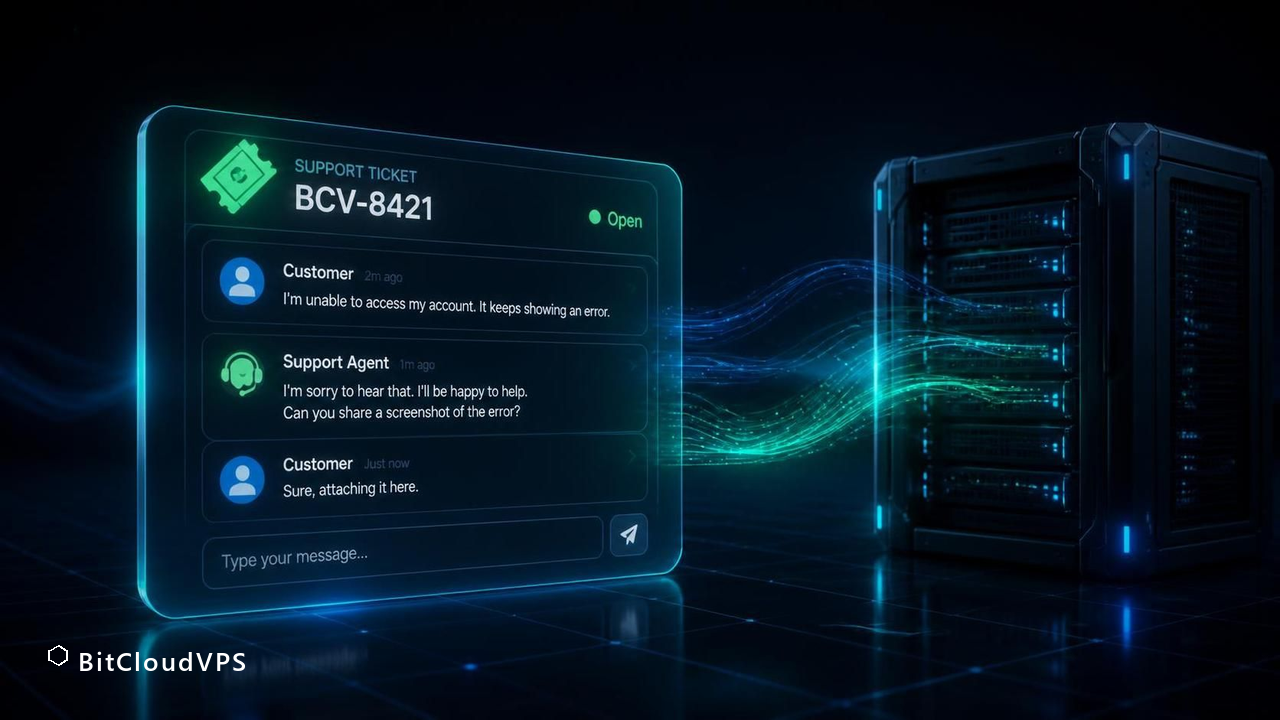
Panel → Support. Subject and body. Attach the invoice code or IP. Tickets need a positive balance.
Path
Sign in → Support. Write subject and body. Tickets need a positive balance; if the balance is zero, top up first, then send the message.
Business $24/mo (6 vCPU / 16 GB DDR5) is the production size. Crypto invoice, no KYC.
Launch nowWhat to write
- rDNS: IP + FQDN.
- Invoice: coin, txid, invoice code.
- Server action stuck: server id and what you clicked.
Do not paste root passwords. OpenSSH manual keys only.
Short answer: what support on a crypto-only host looks like
Support here is a ticket queue inside the panel, and the practical answer to “how do I open one” is: log in with your token, go to the server’s page, click the support action, and describe one problem per ticket with the exact output you are seeing. There is no live chat and no phone line, and that is a design choice, not an omission — a chat channel would need staffed identity checks and conversation retention that a no-KYC host has no business running. A ticket is the lowest-leak channel: it is text you control, tied to an account that can exist with no email address at all, since signup works with a token only and email stays optional.
The trade you accept is response in business-hours batches rather than seconds. That shapes how you should write a ticket: a vague “my server is down” costs one full round trip, while a ticket that already contains the plan, location, timestamp in UTC, and the output of a couple of commands can often be answered in one reply. Most of this page is about getting your first message right, because on a ticket-only channel the first message is the whole game.
What the queue can actually do is worth stating up front, so you don’t file tickets for the wrong things. It handles panel access, invoices and the 19-coin checkout, network reachability of your VM, and hardware/host-node faults. It does not administer your server: installing packages, fixing your firewall, or recovering a lost root password inside your own OS are yours, because nobody on our side holds a password into your machine — that is what makes the box yours.
Before you write: what to have open on your side
A ticket gets resolved in one round trip when the reader can reproduce the problem from your message alone. Assemble five items before you click submit — it takes about two minutes and routinely saves a day.
| Item | Where it is | Why it matters |
|---|---|---|
| Server ID / hostname | Server page in the panel | Routes the ticket to the right host node without follow-ups |
| Plan and location | Server page, e.g. Business in Zurich | On 21 sites the symptom may be location-specific |
| UTC timestamp | date -u on your server | Timezone-guessing is the classic misread |
| Exact error output | Terminal copy-paste in <code> text | “Doesn’t work” is not diagnosable; text is |
| What changed | Your own notes | Separates your change from our fault in one step |
One more item that pays off: run the failing command twice and note whether the failure is constant or intermittent. A packet loss that appears in mtr every few seconds is a different investigation than an SSH handshake that never completes, and stating which one you have decides which engineer reads the ticket first.
BitCloudVPS Starter · 2 vCPU EPYC · 4 GB ECC · $8.50/mo
Deploy in 60 secondsOpening the ticket, step by step
The flow is deliberately short because the panel already knows most of the context — the server you are looking at is attached to the ticket automatically.
- Sign in to the panel with your account token. If you signed up token-only, this is the same credential — there is no separate support login and no email confirmation step to wait for.
- Open the page of the affected server. Tickets opened from a server page inherit its ID, plan and location, which removes three questions from the conversation.
- Choose the support action in the sidebar. You will get a plain text form — no category tree, no priority picker. Priorities are inferred from impact: a host-node outage is worked before one customer’s config question, and writing “URGENT” in the subject does not change the sort.
- Write a subject in the form
<symptom> — <server> — <when>, for exampleSSH timeout — BLZ-4187 — since 14:20 UTC. - Paste the body: what you ran, what you expected, what you got, in that order. Wrap command output in code formatting so it stays byte-exact.
- Submit, then stay reachable in the same thread. Replies land in the panel; if you attached an email address to the account, a copy goes there too, but the panel thread is the system of record.
If you run several servers and the problem spans more than one, do not open one mega-ticket — open one per server and cross-reference them in the body. Split tickets move at the speed of the slowest unblocked one; a merged ticket moves at the speed of the hardest diagnosis.
A ticket body that gets answered in one round trip
Here is the shape that works, filled in with a realistic example. Notice every line is checkable by the reader without asking you anything.
Subject: IPv4 unreachable from outside — BLZ-4187 — since 09:40 UTC today
Plan: Business, Zurich (CH-ZRH). No panel-side changes made today.
Ran: ping -c4 <my-ipv4> from two external hosts — 100% loss. ping6 to the same box works. ip -br addr shows the v4 address assigned. From inside: ping -c4 9.9.9.9 works (outbound v4 fine). Started after I did nothing beyond the usual apt upgrade at 09:35.
Ask: check whether an upstream filter or ARP issue is dropping inbound v4 to my IP.
Three properties make this good. It separates observation (ping6 works) from interpretation (outbound v4 fine), so a wrong guess in your reading cannot poison the investigation. It rules out half the hypothesis space in advance — inbound-only loss on v4 with working v6 points at the network layer, not your OS. And it names the ask, so the reply can be an action instead of a question.
Flip side, the three habits that cost you a day each: pasting screenshots of terminal text instead of text; mixing two problems (“also my invoice address is wrong”) into one ticket; and opening a duplicate ticket two hours later, which resets your position in the queue rather than raising it.
How to verify your ticket actually resolved the thing
“The reply says fixed” is not verification. Close the loop with a check that reproduces the original symptom — the same command from the same vantage point — and only then accept the resolution. If you reported unreachable IPv4, run the external ping again, from the same two outside hosts, for at least a minute. Intermittent problems need a windowed check: mtr -rw -c 100 <target> gives a summary you can compare against the loss figure you reported.
Verify from outside your own network too. A home router, ISP resolver, or corporate proxy can sit on the path between you and the VM, and “fixed from my laptop” can silently mean “my route changed”. The ticket thread keeps history, so a tidy close looks like: re-ran the original command, output attached, result differs from the report, confirming fix — then close it yourself. Closing your own verified tickets is not cosmetic; it keeps your queue honest for the next incident and tells the engineers the fix held from the user side.
If the fix does not hold, do not open a new ticket: reply in the same thread with the verification output that failed. The thread carries the full diagnosis history, and reopening keeps the same reader who already has the context — a fresh ticket starts that from zero.
BitCloudVPS Business · Zurich · $24/mo on the annual term
Deploy in 60 secondsTroubleshooting the ticket channel itself
Sometimes the problem is the channel, not the server. The recurring cases, with causes and fixes:
- Symptom: you cannot log in to file anything. Cause: lost token — a token-only account has no password-reset email to fall back on. Fix: this is precisely the case recovery planning exists for; keep the token in a password manager from day one, and if it is gone with no email attached, the account is unreachable. Attach an email to the account in advance if you want a second path back.
- Symptom: ticket submitted but nothing in the thread. Cause: usually a browser abort before the confirmation rendered. Fix: check the ticket list before resubmitting — duplicates reset queue position.
- Symptom: replies not reaching your inbox. Cause: panel copies land in spam, or you typed the account email with a typo. Fix: whitelist the panel domain, and treat the panel thread — not the inbox — as authoritative.
- Symptom: no answer within the response window. Cause: most often a weekend or a body that needs clarification. Fix: reply with exactly the missing item the last reply requested; do not restate the whole problem.
One honest limit: there is no status page ping, no escalation hotline, no manager to CC. The lever you control is quality of the ticket body, and it is a strong lever — one-trip tickets are the norm when the reader can act without replying.
Keeping the support channel from leaking your identity
A ticket is text you wrote, stored on infrastructure you don’t control — treat it with the same hygiene as your shell history. First, content: never paste private keys, wallet seeds, or the account token itself into a ticket body; support never needs them, and a leaked token is account takeover. Mask the middle of public IPs if the ticket is not about that specific address.
Second, metadata: if you attached an email to the account, it rides along on every message. A privacy-conscious pattern is an alias you control — a dedicated address from an aliasing service — rather than a personal mailbox, and if you operate token-only, nothing rides along at all. Third, do not paste your full history or ps aux when a filtered excerpt answers the question; the smaller the paste, the smaller the footprint of what the thread says about how you run the box.
Finally, mind what a thread proves over time. Ticket bodies accumulate a writing style, timezone hints (from your timestamps — which is why UTC matters), and operational details of your setup. None of that identifies you by itself; the opsec discipline is to not give a future reader more than the incident requires. Write every ticket as if it will be the most public document your server ever generates — because it is the only one you authored on our side.
Which category your ticket belongs in: routing decides the clock
The direct answer: a ticket answered in one round trip is almost always a ticket filed under the right category with the evidence attached up front. On a crypto-only host there is no phone queue and no chat agent escalating on your behalf, so the category you pick is the routing — billing tickets go to whoever can read a transaction on-chain, network tickets to whoever can run diagnostics on the host node, and everything generic waits in a general queue.
The split that works in practice:
- Billing / payments: a payment credited but the order did not flip, a bonus-tier balance question, a renewal you want moved to the annual term. Include the txid, the destination address, the amount, and the timestamp — nothing else is needed to trace it.
- Network / connectivity: packet loss, a port that seems filtered, IPv6 not answering. Include the trace or
mtroutput from your side and the exact times in UTC; host-side logs are only useful when correlated with a window. - Panel / account: token access, snapshot restores, plan changes. These are the fastest tickets because they are fully verifiable inside the panel.
- Abuse complaints you received: forward the notice verbatim; paraphrasing it just costs a follow-up question.
What slows everything down is a ticket that mixes categories — a billing question stapled to a network complaint becomes two tickets and one of them is you, filed late. Split them, reference each other by ticket number, and each moves at its own queue's speed.
BitCloudVPS Plus · $13.50/mo · 21 locations, one support flow
Deploy in 60 secondsAttaching evidence without attaching your identity
The direct answer: paste the technical evidence — txids, command output, log excerpts — but strip the fields that correlate the ticket with a person: full names in signatures, screenshots that include other browser tabs, wallet exchange screenshots with your account email visible in a corner. On a no-KYC account the ticket history is often the richest identity record that exists, and you control what goes into it.
A pre-flight checklist for anything you paste:
- Terminal output: fine as text. Screenshots of terminals: crop or retype — window titles and hostnames leak.
- Transaction evidence: the txid is enough; you never need to show which exchange or wallet UI you sent from.
- Log excerpts: cut to the relevant lines and blank any IPs of your other infrastructure.
- Never include: government document images (nothing here asks for them), bank statements (no card rails exist), or the email of an account you use elsewhere.
Format also matters for speed: code blocks for command output survive the ticket renderer; a photo of a monitor at an angle does not, and the first reply will just ask you to re-send it. If a ticket needs a long log, attach the relevant hundred lines rather than a 50 MB archive — the engineer who can read it fast is the one who answers fast.
Follow-ups, reopenings, and when a ticket is actually done
The direct answer: a ticket is done when you can reproduce the fix on your side, not when the reply says it should work. Close the loop with the same command that failed originally; if it now passes, close the ticket yourself — and if it does not, reply in the same thread rather than opening a duplicate, because the thread carries the context and the duplicate resets the queue position.
The discipline that keeps multi-round tickets short:
- Reply with one of three things: new evidence, the result of a step they asked for, or a confirmation it is resolved. Everything else adds a round trip.
- Keep times in UTC in every message; host-side logs are UTC, and a two-hour zone mismatch turns a five-minute diagnosis into a day.
- If a network fix is applied host-side, re-run the same probe —
mtr -rwzb -c 100 host— and paste both the before and after. The comparison is the evidence. - For billing threads, end with the state restated: balance remaining, period changed, invoice closed. It prevents the silent mismatch that surfaces at renewal.
One limit worth knowing: on a crypto-only host there is no chargeback mechanic to invoke, so a payment dispute is settled by on-chain evidence in the thread, which is exactly why the txid belonged in the first message. And if the topic ever drifts toward things support will not help with — content decisions, third-party blocklists, anything outside the infrastructure — the honest answer is that no ticket rewording changes that; the page on hosting limits covers where the line sits.
Where the limits are (October 2026)
Keep the threat model precise. Anonymous-adjacent hosting removes the host-side identity trail: token-only signup, optional email, no KYC review, crypto invoices that record a txid rather than a name. It does not blind the host to traffic it must carry, it does not make a logged-in panel session anonymous, and it does not protect workloads that identify themselves — an admin login from your home IP defeats the whole design. Exact limits of no-KYC anonymity. OPSEC guide. Full checklist. Payment-side note: chain analysis happens on public blockchains, not at the host. Coin choice and network choice are your OPSEC knobs, and the checkout keeps 19 of them open.
Email instead?
Tickets stay on the account. abuse@ is for third-party reports.
Languages?
English is fastest. The panel UI follows your locale.
Can I open a ticket without an account?
No. Tickets are tied to a server and a panel session, and both require your account token. The flip side: signup needs no name, no phone, and no email — a token-only account can open tickets with nothing identifying attached. The panel thread is the only channel; there is no public contact form that bypasses the account.
How fast do tickets get answered, honestly?
Tickets are worked in batches during operating hours, not in seconds — this is not a live-chat operation. Simple invoice or panel questions are typically single-trip; host-node or network incidents get worked first because impact is wider. The biggest variable is your first message: a body that pre-answers the obvious questions avoids the extra round trip.
What should never go into a ticket?
Your account token, private keys, wallet seed phrases, and root passwords — support never needs credentials to your OS or wallet, and pasting a token risks account takeover. Also skip full shell history dumps: paste only the filtered lines relevant to the incident. Command output wrapped as text, UTC timestamps, and what changed are what actually speed up resolution.
Does the ticket history undermine no-KYC?
The account can exist with zero identity data — token signup, optional email — and tickets add only what you type. What you write can hint at timezones, writing style, or your setup, so paste narrowly and timestamp in UTC. That is a hygiene choice on your side, not a policy gap on ours: the channel records what you give it and nothing else.
Should I mention my plan tier or location in every ticket?
The panel already shows the support agent which server and plan the ticket is attached to when you file from inside it. Repeating it costs nothing, but the useful addition is the specific time window in UTC and the exact command or transaction involved — those are what actually shorten the first reply.
What if I lose access to the account — can support verify me another way?
There is no identity document to fall back on, because none was collected. Recovery paths are the ones the no-email guide covers: the account token itself and whatever email you attached at signup, which is optional. This is the strongest argument for storing the token properly before you ever need a ticket.
Do I need a real email to open a ticket?
No. Signup can be token-only with email optional, and checkout runs with no KYC, so you can raise a ticket from the account itself without attaching an identity. The service is operated by Harborline Node Ltd., registered in Saint Kitts and Nevis.
What does the host actually know about me?
Whatever you hand over: a signup token, an optional email address, the invoice you paid and the service traffic. No ID documents, no phone number, no KYC step exists to hand anything else over.
What won't an anonymous VPS protect against?
Self-inflicted links: personal logins from a home IP, leaked cookies, services that publish your address, and on-chain patterns that tie wallets together. The server removes one identifier; it does not fix operational mistakes.
Primary sources
Ready to launch?
Configure a VPS or dedicated server, set a password, then pay the invoice.
Network
Edge RTT
Uptime · 36h
Complaints · 36h